
Built for door manufacturers
The Door Suite
by Cienapps.
One ecosystem to sell, connect, and grow. From real-time door configuration to full operations, built specifically for door manufacturers.
CPQ is the core. The ecosystem scales from there.
Each connected product removes another manual step from selling custom doors.
Cieblink CPQ
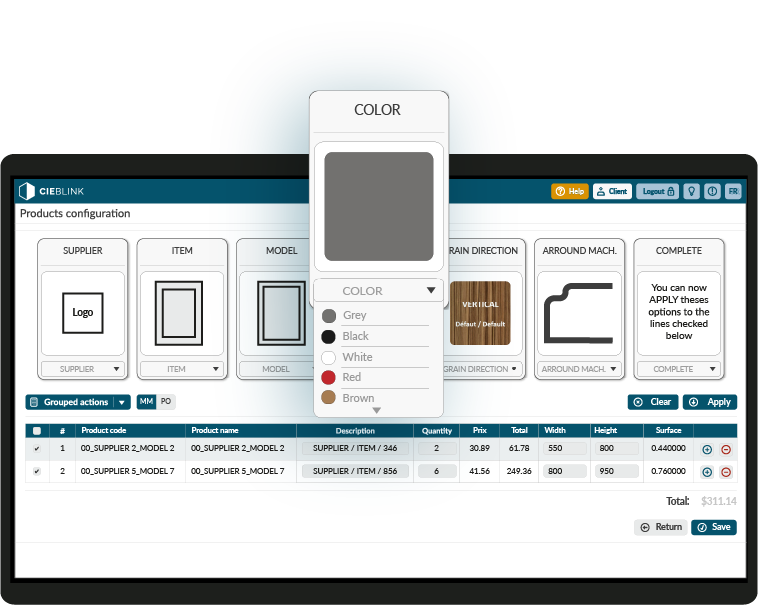
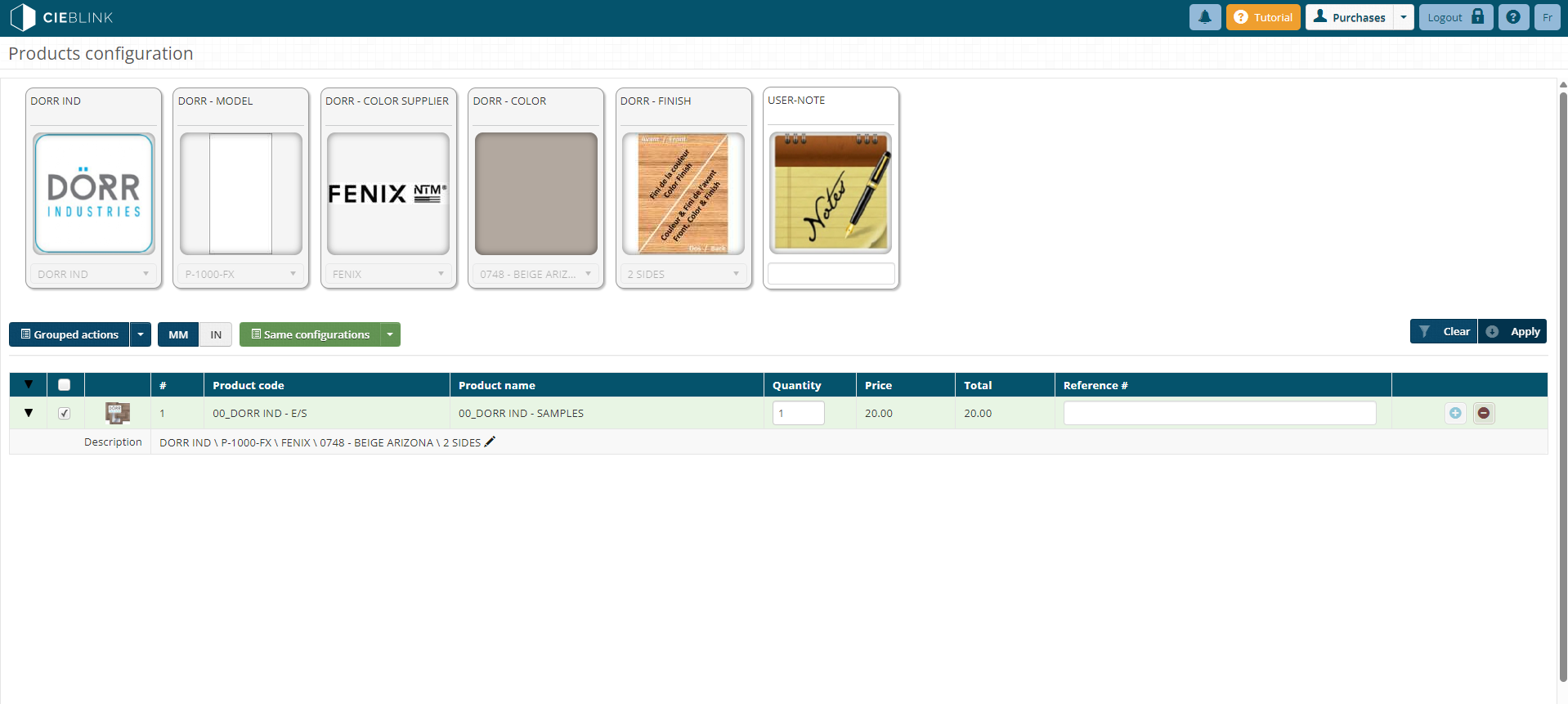
Configure, price, and order custom doors in real time. Buyers instantly see accurate pricing using your live product rules.
See CPQ →Cieblink Network
(CSI)
Connect distributors, dealers, and manufacurers into ecosystem linked directly to your sales operation.
See Network →Cieblink Showroom
Your door catalog, live and configurable directly on the web. Buyers browse and configure without an account until checkout.
See Showroom →Ciemetric
Designers configure projects using your door catalog, finishes, and specifications. Designs connect directly into your sales workflow.
See Ciemetric →Cienapps ERP
When order volume grows, Cienapps ERP connects production, inventory, purchasing, scheduling, and finance into one system.
See ERP →Cieblink CPQ
The only real-time door configurator on the market.
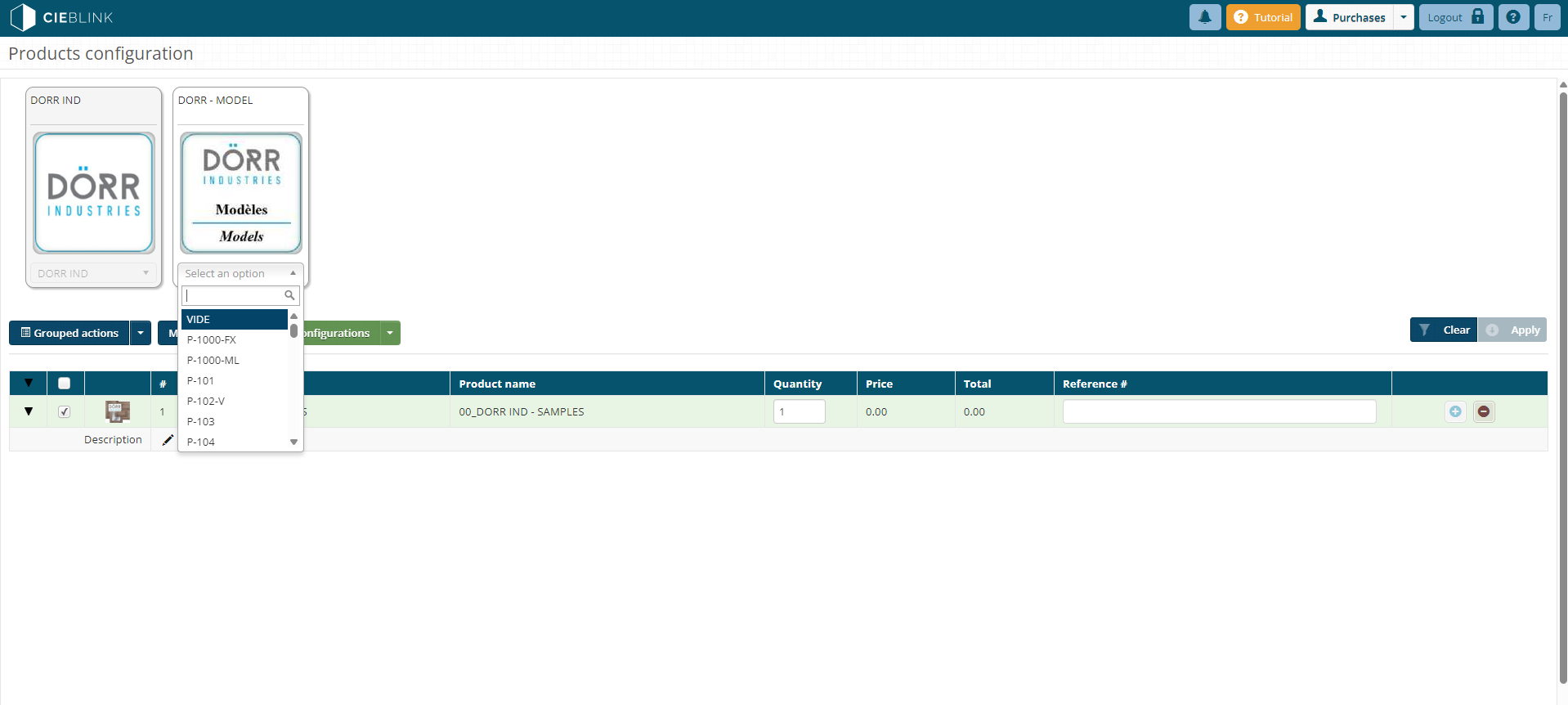
Your clients select style, dimensions, finish, and hardware. They see the exact price instantly. They send a purchase order in one click. No calls. No delays. No errors.
Cieblink AI with the CPQ
Skip manual data entry with Cieblink AI
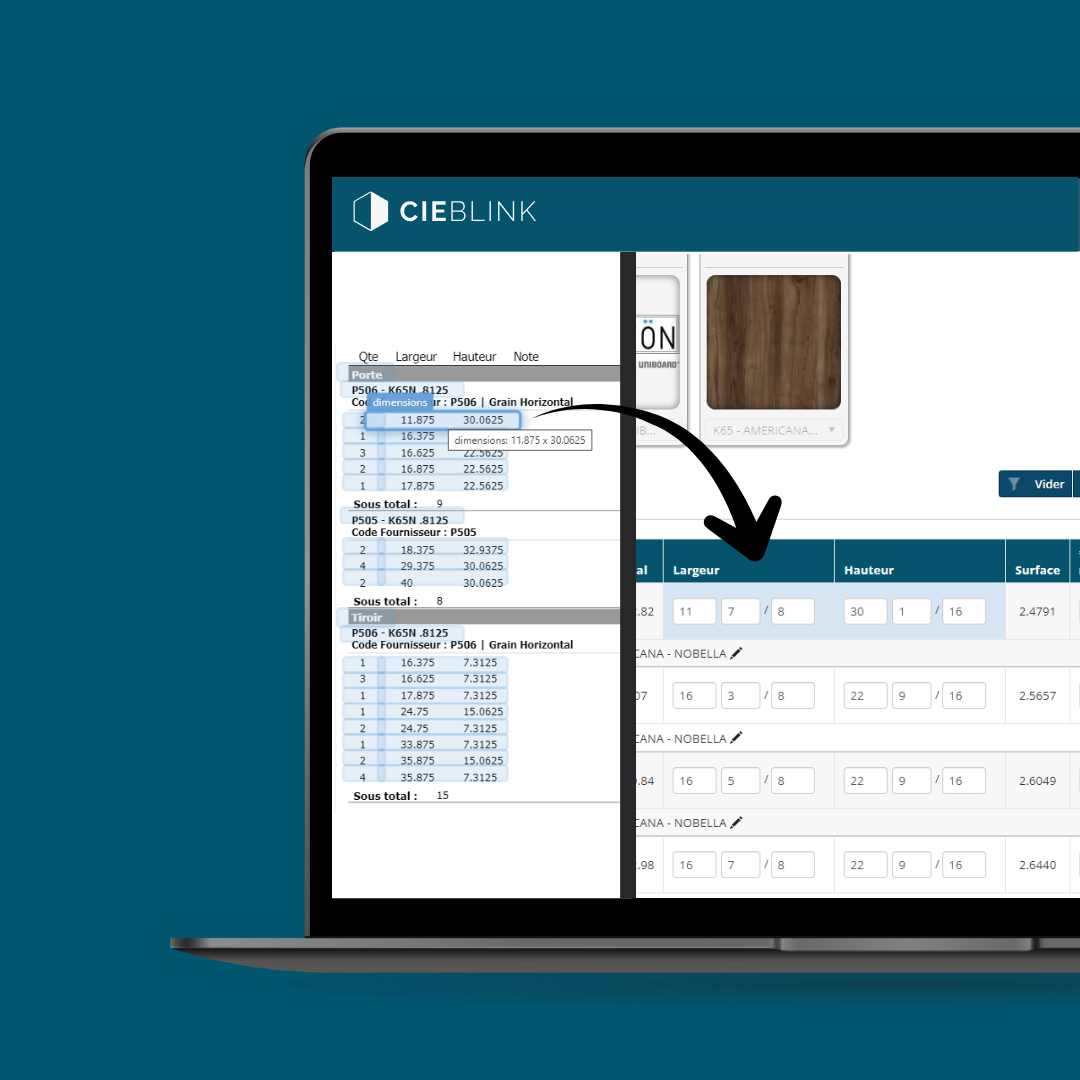
Scan a document or upload a file. Cieblink AI reads the dimensions and generates your purchase order, fully configured and priced, in seconds.
Your original file stays visible on the left. As you review the table on the right, the matching line highlights automatically, so you always know what came from where. Check each row, then save.
From ordering to reaching every buyer in the market.
CPQ handles how your clients order. Cieblink Network makes you visible to every buyer in the woodworking industry, so they can find you, contact you, and order from you in one place.
We don't just deliver software. We drive adoption.
Every Cieblink CSI contract includes a full adoption program for door manufacturers. We configure your CPQ, train your reps, prepare launch content, support your client rollout, and help make sure orders actually flow through Cieblink.
Your team first. Your customers next.
Before asking customers to use Cieblink, your internal team needs to use it every day. This program helps reps, customer service, and operations integrate Cieblink into their workflow before launch.
Catalog configuration
We configure your door catalog directly inside Cieblink using your product structure and pricing logic.
We need your products and pricing structure rules, and catalog validation.
Your catalog is validated and ready for internal testing.
Internal workflow mapping
We identify how your internal team currently processes quotes, orders, and customer communication.
We need your internal contacts, rep structure, and workflow explanations.
Internal accounts and workflows are configured.
Launch material preparation
We prepare onboarding material your reps can use directly with customers during rollout.
We need your logos, brand assets, and approval on launch messaging.
All onboarding material is approved and ready to use.
Hands-on rep training
Your reps are trained using your catalog, pricing, and real customer situations.
We need rep availability and real order examples from your team.
Your reps can independently create and process orders in Cieblink.
Content production during training
Our marketing team creates launch-ready operational content — coordinated in person or at distance.
We coordinate content production logistics together, in person or at distance.
Your launch content is approved and ready for publication.
Client list and priority outreach plan
We prepare your customer activation plan before sending any launch communication.
Cieblink does
Your team does
Your top customers are usually the fastest path to adoption. We use this list to:
- Contact customers directly
- Assist onboarding
- Support first live orders
- Accelerate adoption early
Your client list is imported and your activation sequence is approved.
Partner page and website preparation
We prepare the digital launch foundation so customers clearly understand that Cieblink is officially supported by your company.
Cieblink does
Your team does
- Reassure customers the platform is officially supported
- Increase customer adoption
- Direct customers toward online ordering
Your partner page is live and website assets are delivered to your team.
Customer activation launch
We launch your customer onboarding sequence under your company name and help your first customers start ordering through Cieblink.
Cieblink does
Your team does
Customers successfully activate accounts and process live orders through Cieblink.
Your door catalog, discoverable and orderable online without friction.
Cieblink Showroom is an e-commerce platform for the door industry. Buyers browse, configure, and order directly. You receive structured orders ready to process in your Cieblink account.
Cieblink Showroom
A dedicated storefront that works while your team doesn't have to.
Your buyers can browse your full catalog, configure any door to exact specifications, and get an accurate price in real time without calling or sending a single email.
Next software layer
From connected customers to connected designers.
After your sales operation is structured in Cieblink, Ciemetric extends your door catalog upstream so designers can build projects with your real products before the order even starts.
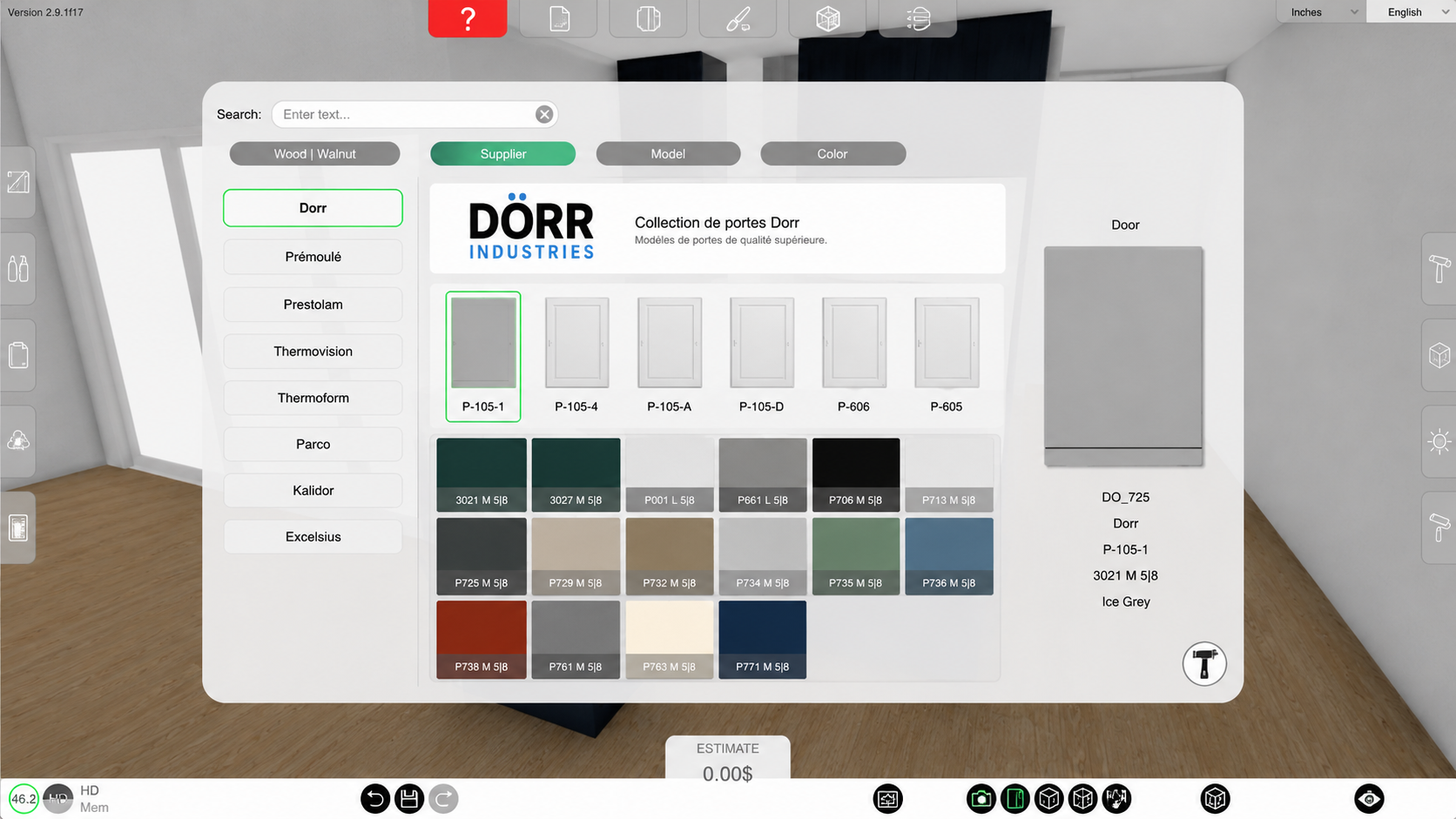
Ciemetric
Let designers build with your door catalog.
Ciemetric lets designers, and cabinet shops configure projects visually using your real door styles, dimensions, finishes, and pricing rules.
Next software layer
When volume demands more than a sales platform.
Cieblink manages your orders and your network. When those orders start putting pressure on production, scheduling, and inventory, Cienapps ERP is the next step.
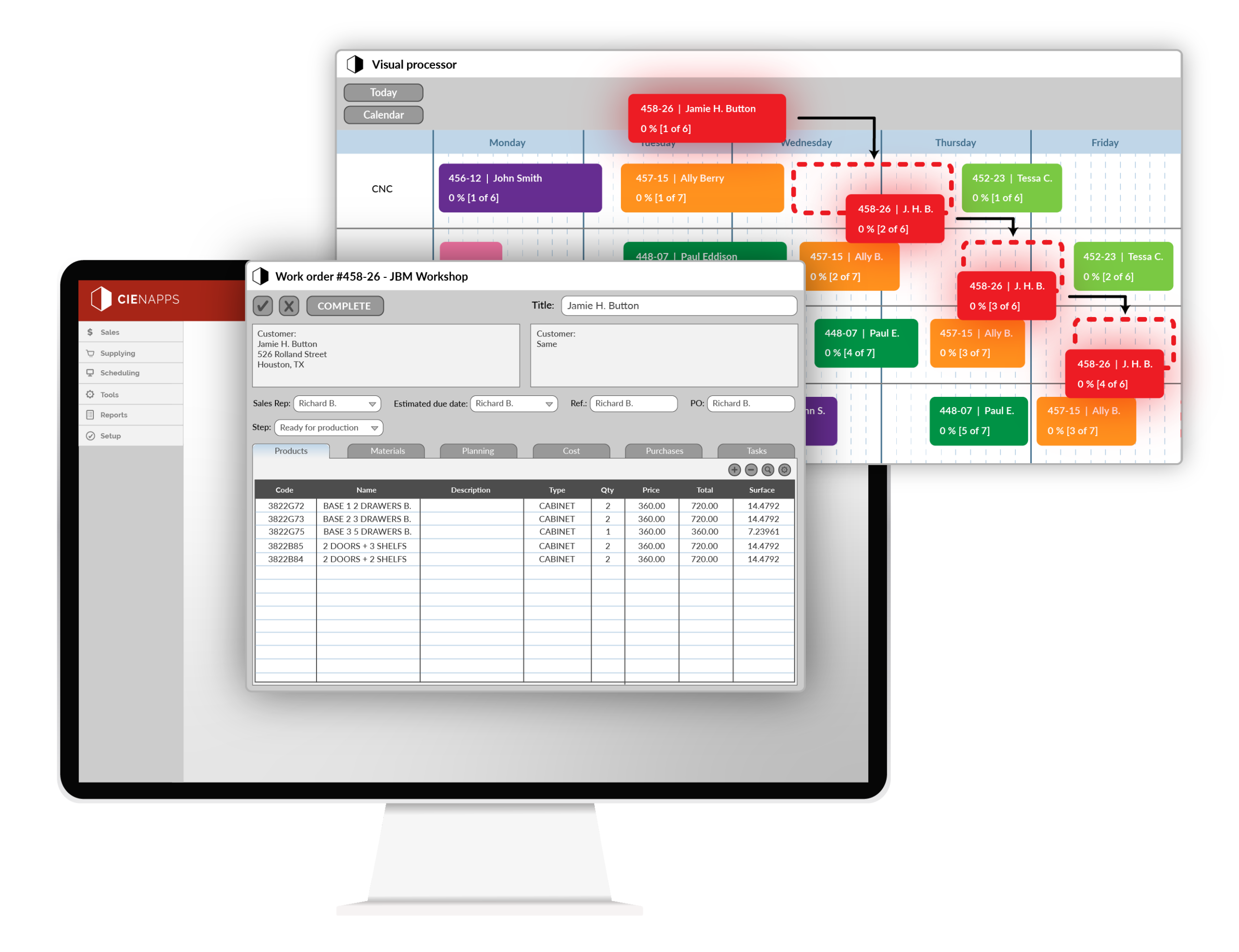
Cienapps ERP
One system from order to delivery
Cieblink receives the order. Cienapps ERP takes it from there. Production scheduling, inventory, job costing, and accounting, all connected, no re-entry, no spreadsheets filling the gaps.
- Doors orders feed production automatically — no manual re-entry
- Real-time job costing with margin tracking per order
- Inventory in real time — no more spreadsheet reconciliation
- Accounting and scheduling in one system, not patched together
Start with CPQ.
Everything else follows.
The Door Suite is built to grow with you. Start with the tool that changes how clients order. Add the rest when the time is right.
Frequently Asked Questions (FAQ)